


2010 fans and spal


Senior Member
Joined: Jul 2007
Posts: 2,036
Likes: 2
From: Maine
Look at post #44 and 46 for the fans I have

Senior Member
Joined: Feb 2004
Posts: 10,390
Likes: 10
Mr. Sam!
Knowing the draw of yer fans does not tell us the draw of BLK's
We are past the obvious low-hanging fruit here - everything that can be checked, should be ...
Hooking up that second fan apparently triggers protection mode - for whatever reason ... ( note to self - also monitor battery voltage at the point of failure - and what the nominal value is, at any rate)...
Yer turn!

MGD
PS - OT - Sam that location is not the best - DCControl's application notes suggest a metal mounintg surface to aid in dissipation ... just fyi ...
Knowing the draw of yer fans does not tell us the draw of BLK's
We are past the obvious low-hanging fruit here - everything that can be checked, should be ...
Hooking up that second fan apparently triggers protection mode - for whatever reason ... ( note to self - also monitor battery voltage at the point of failure - and what the nominal value is, at any rate)...
Yer turn!
MGD
PS - OT - Sam that location is not the best - DCControl's application notes suggest a metal mounintg surface to aid in dissipation ... just fyi ...

Senior Member
Joined: Apr 2010
Posts: 646
Likes: 0
From: Las Vegas
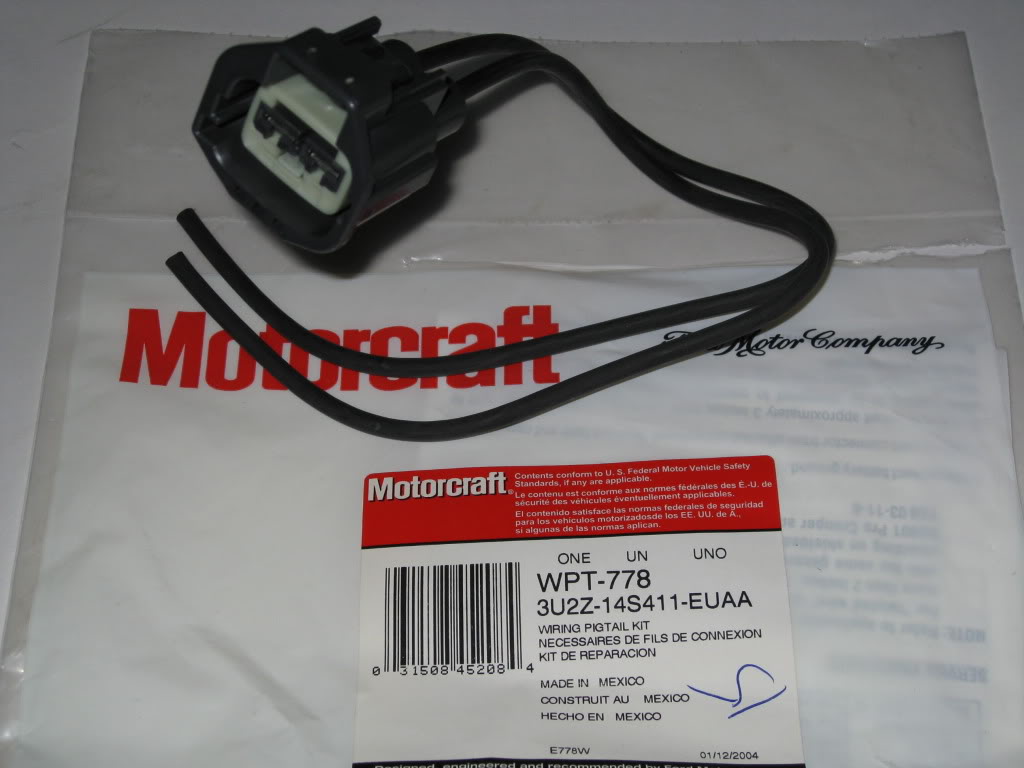
I am not running the 2010 pigtails, just a spade terminal setup
As stated by MGD it's going into protection mode when the positive terminal from the second fan is connected. Technically, isn't the controller supposed to soft start the fans?
Mine just aren't coming on regardless unless I pull one of the positives.
Battery Voltage does not seem to be affected. Although we have the same 2010 fans, it's possible mine has a larger amp draw than the OP
As stated by MGD it's going into protection mode when the positive terminal from the second fan is connected. Technically, isn't the controller supposed to soft start the fans?
Mine just aren't coming on regardless unless I pull one of the positives.
Battery Voltage does not seem to be affected. Although we have the same 2010 fans, it's possible mine has a larger amp draw than the OP
Senior Member
Joined: Jul 2007
Posts: 2,036
Likes: 2
From: Maine
Mr. Sam!
Knowing the draw of yer fans does not tell us the draw of BLK's
We are past the obvious low-hanging fruit here - everything that can be checked, should be ...
Hooking up that second fan apparently triggers protection mode - for whatever reason ... ( note to self - also monitor battery voltage at the point of failure - and what the nominal value is, at any rate)...
Yer turn!
MGD
PS - OT - Sam that location is not the best - DCControl's application notes suggest a metal mounintg surface to aid in dissipation ... just fyi ...
Knowing the draw of yer fans does not tell us the draw of BLK's
We are past the obvious low-hanging fruit here - everything that can be checked, should be ...
Hooking up that second fan apparently triggers protection mode - for whatever reason ... ( note to self - also monitor battery voltage at the point of failure - and what the nominal value is, at any rate)...
Yer turn!
MGD
PS - OT - Sam that location is not the best - DCControl's application notes suggest a metal mounintg surface to aid in dissipation ... just fyi ...
Senior Member
Joined: Feb 2004
Posts: 10,390
Likes: 10
MGD
Senior Member
Joined: Jul 2007
Posts: 2,036
Likes: 2
From: Maine
I am not running the 2010 pigtails, just a spade terminal setup
As stated by MGD it's going into protection mode when the positive terminal from the second fan is connected. Technically, isn't the controller supposed to soft start the fans?
Mine just aren't coming on regardless unless I pull one of the positives.
Battery Voltage does not seem to be affected. Although we have the same 2010 fans, it's possible mine has a larger amp draw than the OP
As stated by MGD it's going into protection mode when the positive terminal from the second fan is connected. Technically, isn't the controller supposed to soft start the fans?
Mine just aren't coming on regardless unless I pull one of the positives.
Battery Voltage does not seem to be affected. Although we have the same 2010 fans, it's possible mine has a larger amp draw than the OP

Senior Member
Joined: Jul 2007
Posts: 2,036
Likes: 2
From: Maine

Senior Member
Joined: Apr 2010
Posts: 646
Likes: 0
From: Las Vegas
Seem to be getting the run around because the controller decided to crap out on me tonight...for the mean time is there any other option for controllers?
I know we can control the mark viii/taurus fans with a bosch relay setup with 75amp relays, figure I could possibly use this in the mean time? About 100 bucks and parts are available at local auto stores, auto zone.
Just need something to tie me over for a while so I can get the controller sorted
I know we can control the mark viii/taurus fans with a bosch relay setup with 75amp relays, figure I could possibly use this in the mean time? About 100 bucks and parts are available at local auto stores, auto zone.
Just need something to tie me over for a while so I can get the controller sorted
Senior Member
Joined: Jul 2007
Posts: 2,036
Likes: 2
From: Maine
Seem to be getting the run around because the controller decided to crap out on me tonight...for the mean time is there any other option for controllers?
I know we can control the mark viii/taurus fans with a bosch relay setup with 75amp relays, figure I could possibly use this in the mean time? About 100 bucks and parts are available at local auto stores, auto zone.
Just need something to tie me over for a while so I can get the controller sorted
I know we can control the mark viii/taurus fans with a bosch relay setup with 75amp relays, figure I could possibly use this in the mean time? About 100 bucks and parts are available at local auto stores, auto zone.
Just need something to tie me over for a while so I can get the controller sorted

Senior Member
Joined: Feb 2004
Posts: 10,390
Likes: 10
X2 - sorry if you think we are giving you the 'runaround' ....
As an alternative to the 'DIY' Bosch relay option, DCcontrols sells something similar but less expensive - that still auto-controls yer fans:
http://www.dccontrol.com/fancontrol.htm <== the first one on that page.
"A new, economical two speed controller has also been added, the new 2sp controller utilizes dual 60A relays and is designed to power any of the Ford two speed fans. As with our other products, they’re designed and manufactured in the USA"
~$80 ... perhaps you could ask Brian to cross-ship you a unit in exchange for a possible suspect controller? You may prefer this unit's simplicity....
IMHO - still need to rule out the fans as I indicated before, if for no other reason than to ensure that stone has been overturned ... if at all possible get current readings. They should both jive with Sam's.
MGD
As an alternative to the 'DIY' Bosch relay option, DCcontrols sells something similar but less expensive - that still auto-controls yer fans:
http://www.dccontrol.com/fancontrol.htm <== the first one on that page.
"A new, economical two speed controller has also been added, the new 2sp controller utilizes dual 60A relays and is designed to power any of the Ford two speed fans. As with our other products, they’re designed and manufactured in the USA"
~$80 ... perhaps you could ask Brian to cross-ship you a unit in exchange for a possible suspect controller? You may prefer this unit's simplicity....
IMHO - still need to rule out the fans as I indicated before, if for no other reason than to ensure that stone has been overturned ... if at all possible get current readings. They should both jive with Sam's.
MGD

Senior Member
Joined: May 2009
Posts: 102
Likes: 0
From: Quad Cities, IL
Yes, it's wired in parallel, negative from both fans to negative on controller. Positive on both fans to positive on controller.
Both fans run if the positive from the second fan (passenger side) is on the input from the battery, found this out by accident when the wire touched, both fans run about 50% when that happens but there's no way to shut it off besides drain the battery, so both fans are working.
Im going to swap the wires around from the fan thats working to that fan that isn't running, see if it changes things up, but from what Brian at DC knows, it needs the filter. I've given him a lot of information regarding the fans and the wiring setup i have, it's all correct but something funny indeed is happening!
Both fans run if the positive from the second fan (passenger side) is on the input from the battery, found this out by accident when the wire touched, both fans run about 50% when that happens but there's no way to shut it off besides drain the battery, so both fans are working.
Im going to swap the wires around from the fan thats working to that fan that isn't running, see if it changes things up, but from what Brian at DC knows, it needs the filter. I've given him a lot of information regarding the fans and the wiring setup i have, it's all correct but something funny indeed is happening!
Senior Member
Joined: Apr 2010
Posts: 646
Likes: 0
From: Las Vegas
No guys, I do not feel like you are giving me the run around, it was Brian. But were sorting things out now, should have a replacement here by the weeks end along with the filter.
Half of the controllers that he makes need the filters for low impedance fans like the 2010's, half dont.
When connected directly to a battery source the fans run 100% speed
Do not have a picture of the setup but it is EXACTLY like the one posted earlier, #161, I've checked and rechecked everything to no luck.
I'll try and get a reading, but if the fans are suspect, technically I would not be covered as they have been modified, trimming, that is.
Hopefully I'll be back on my feet by this week and enjoying the fans and a new controller
Half of the controllers that he makes need the filters for low impedance fans like the 2010's, half dont.
When connected directly to a battery source the fans run 100% speed
Do not have a picture of the setup but it is EXACTLY like the one posted earlier, #161, I've checked and rechecked everything to no luck.
I'll try and get a reading, but if the fans are suspect, technically I would not be covered as they have been modified, trimming, that is.
Hopefully I'll be back on my feet by this week and enjoying the fans and a new controller

Senior Member
Joined: Nov 2003
Posts: 299
Likes: 2
A suggestion, along the lines of other posts...
If for some reason your fan set has a higher start up load than mine or others, this could be the fail safe. One way to deal with it is to use a relay only (inexpensive option) on the second fan so it only comes on when the AC is turned on. Or, a relay "controller" so the 2nd fan comes on with both AC and temp range - set the temp range to 10-15 degrees higher than the primary fan depending on your thermostat.
If for some reason your fan set has a higher start up load than mine or others, this could be the fail safe. One way to deal with it is to use a relay only (inexpensive option) on the second fan so it only comes on when the AC is turned on. Or, a relay "controller" so the 2nd fan comes on with both AC and temp range - set the temp range to 10-15 degrees higher than the primary fan depending on your thermostat.