


How Do You Post Pics?


Thread Starter
|
Senior Member
Joined: May 2006
Posts: 259
Likes: 0
From: Beaufort SC
Originally Posted by Patman03SprCrw
you can create a free gallery in the tool bar above. Then to post a pic, you take the URL and put [img] infront of it and [/img] in the back.
-Patrick
-Patrick
thanks, is that how you post a regular pic or for the sig

Global Moderator &
Senior Member
Senior Member

Joined: Aug 2005
Posts: 21,337
Likes: 159
From: DFW
Thats how to post a picture in general....
Specifically to do a signature: you can go to the "quick links" tab in the black bar above posting area and edit signature from there. Just put the [img] tags around it and then you have to hit the "Show signature" box each time you post.
-Patrick
Specifically to do a signature: you can go to the "quick links" tab in the black bar above posting area and edit signature from there. Just put the [img] tags around it and then you have to hit the "Show signature" box each time you post.
-Patrick


Senior Member
Joined: Jan 2006
Posts: 272
Likes: 0
From: California
Originally Posted by 04LIGHTING
I'd wanna know how to post pics of my l. and how do you post pics in your sig. thanks


Senior Member
Joined: Mar 2003
Posts: 739
Likes: 0
From: Houston and Lil ol' England
Not really L related but here you go mate courtesy of us on www.rebel-v8.com
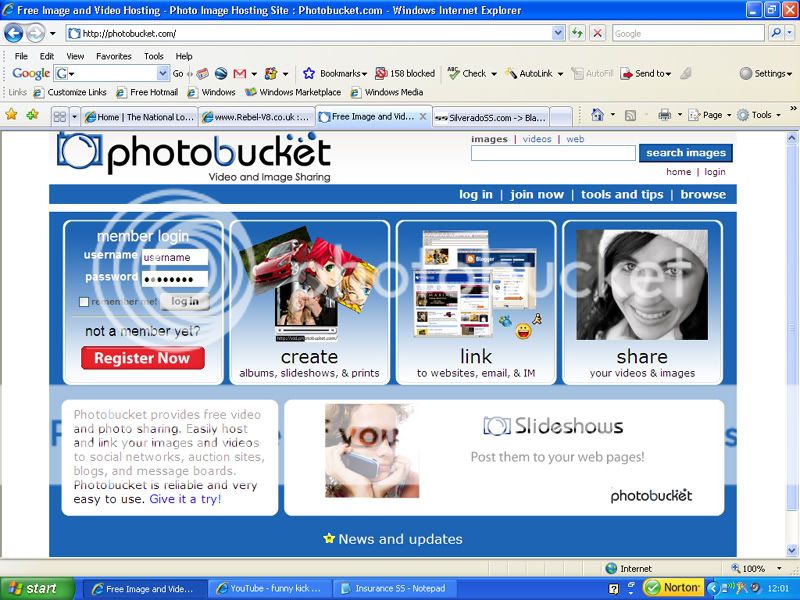
Step One. You will need a Hosting Site there are loads of free ones on the web, www.photobucket.com and www.picturetrail.com being probably the most popular and easy to use.
Sign up easy and free.
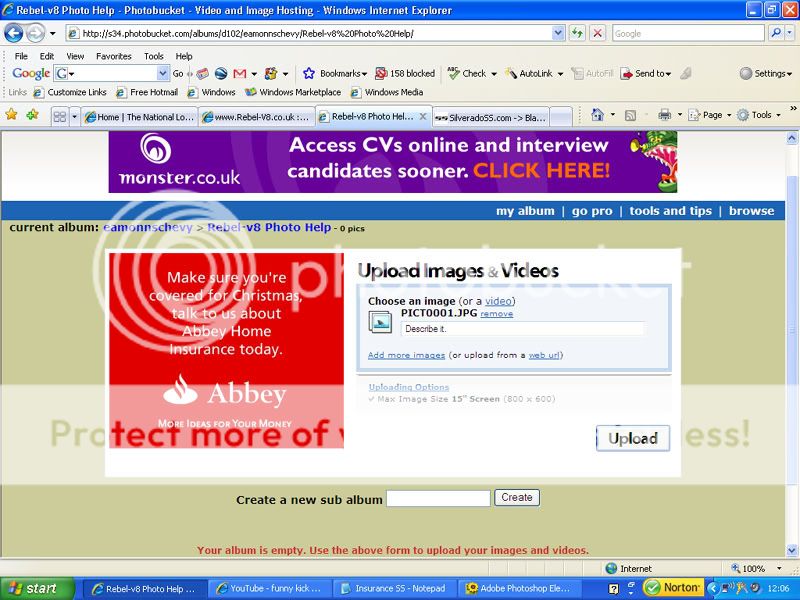
Then once the account is open click on the UPLOAD IMAGES BROWSE button and a smaller window will open look for the photo you want to upload,(usually in the my pictures folder on your hard drive or another location which you have saved you pictures in. CLICK ON THE PHOTO AND HIT THE UPLOAD BUTTON.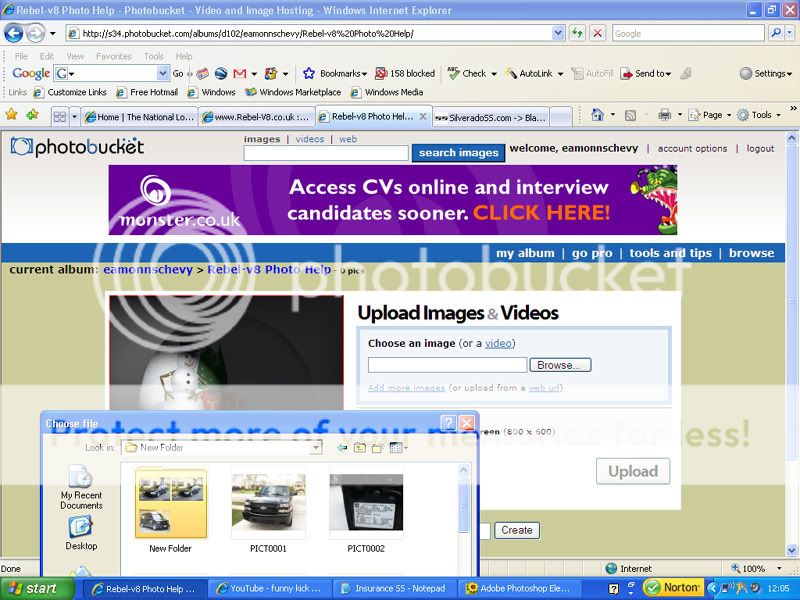
Step One. You will need a Hosting Site there are loads of free ones on the web, www.photobucket.com and www.picturetrail.com being probably the most popular and easy to use.
Sign up easy and free.
Then once the account is open click on the UPLOAD IMAGES BROWSE button and a smaller window will open look for the photo you want to upload,(usually in the my pictures folder on your hard drive or another location which you have saved you pictures in. CLICK ON THE PHOTO AND HIT THE UPLOAD BUTTON.
Trending Topics
Senior Member
Joined: Mar 2003
Posts: 739
Likes: 0
From: Houston and Lil ol' England
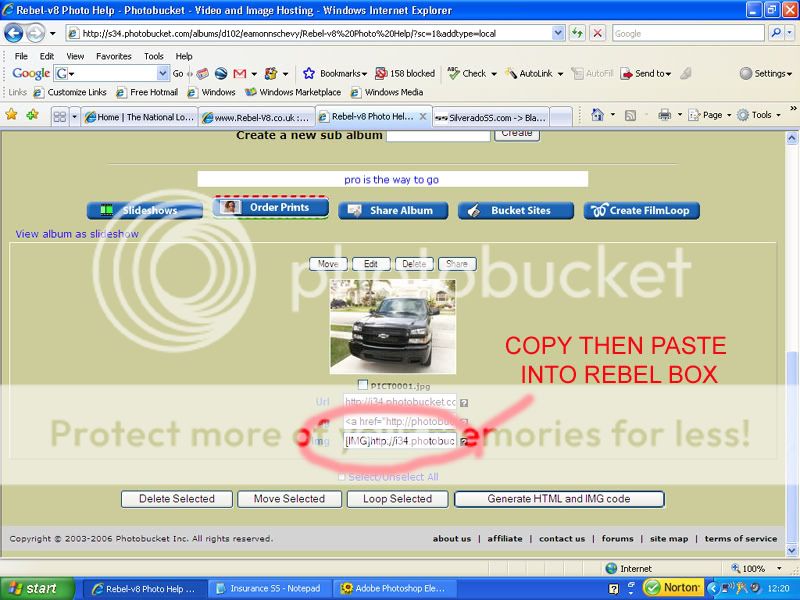
After a short while the picture will upload and be visible.
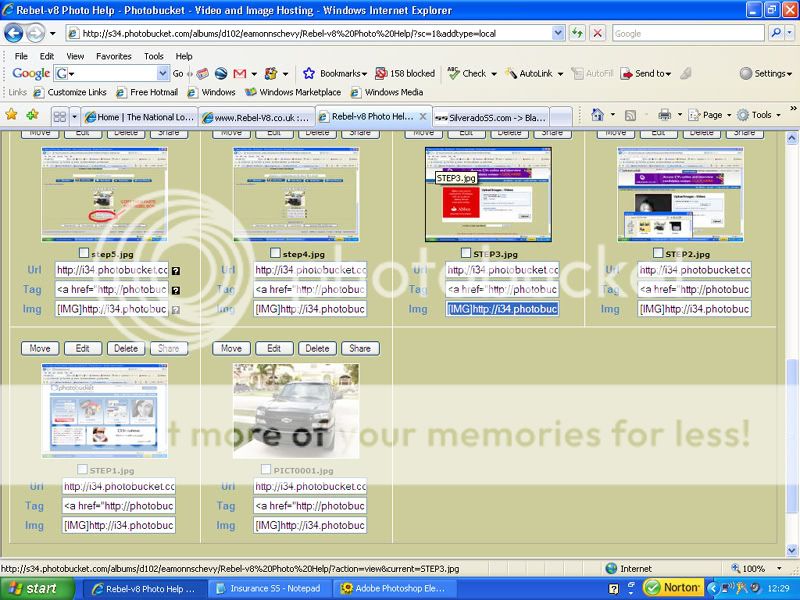
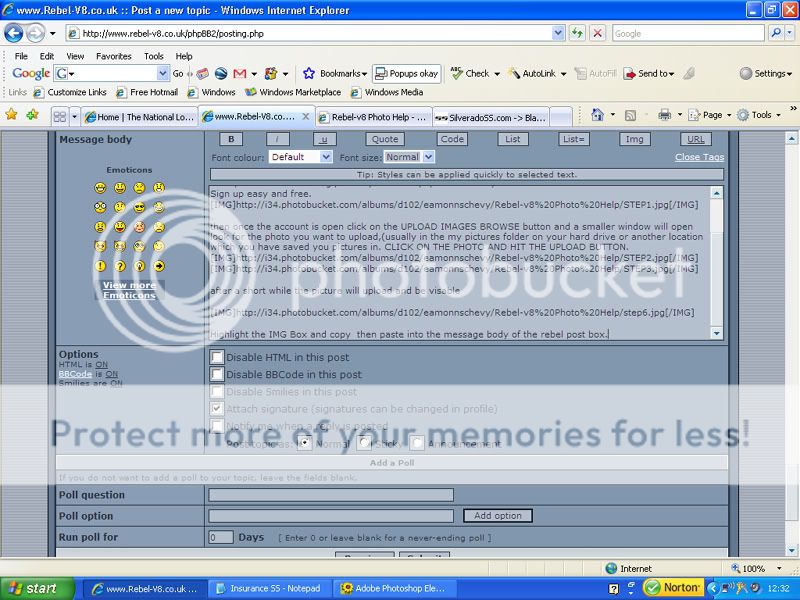
Highlight the IMG Box and copy then paste into the message body of the post box.
Click on the preview button to make sure its all done then submit,
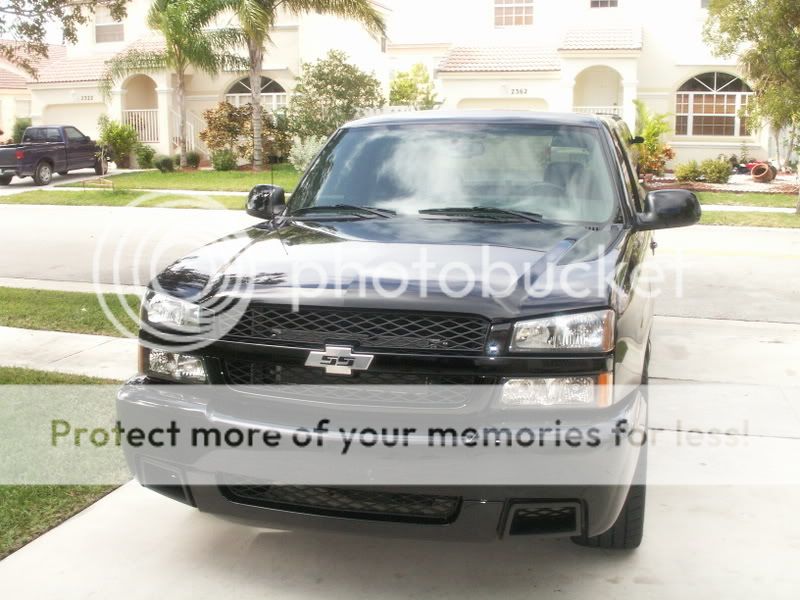
you should then have your photo displayed.. like this
HOPE THIS HELPS YOU
Highlight the IMG Box and copy then paste into the message body of the post box.
Click on the preview button to make sure its all done then submit,
you should then have your photo displayed.. like this
HOPE THIS HELPS YOU


