


Incandescent Hyper Flash

Thread Starter
|
Member
Joined: May 2012
Posts: 13
Likes: 1
From: North Carolina
Incandescent Hyper Flash
Was wondering if anyone could help with this. I'm sure there was a post about it but all I can find is "LED" related.
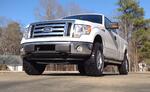
I have a 2010 F-150 that recently started having an issue with the blinker. When I turn it on to turn right, it blinks fast. To the left it blinks fine. At first it was intermittent but now it is all the time. I have never changed the taillight bulbs but I did change both front turn signal bulbs with 3157NA's about four years ago. All bulbs are the factory style incandescent 4057K's and 3157NA's. None of the bulbs are out currently, they are all working fine. So, I have heard there is no turn signal relay or flasher for 09-current Ford vehicles but instead the turn signals are controlled by the SJB (Smart Junction Box)? Is this correct? Or, is there something else I need to look for?
Thank you for your time.
Truck info:
2010 F-150 XLT SuperCab 6.5' Box
4x4
4.6L 3V V8
6R80 Transmission
9-3/4" 3:73 LS Rear Axle
HD Towing Package
156K Miles
I have a 2010 F-150 that recently started having an issue with the blinker. When I turn it on to turn right, it blinks fast. To the left it blinks fine. At first it was intermittent but now it is all the time. I have never changed the taillight bulbs but I did change both front turn signal bulbs with 3157NA's about four years ago. All bulbs are the factory style incandescent 4057K's and 3157NA's. None of the bulbs are out currently, they are all working fine. So, I have heard there is no turn signal relay or flasher for 09-current Ford vehicles but instead the turn signals are controlled by the SJB (Smart Junction Box)? Is this correct? Or, is there something else I need to look for?
Thank you for your time.
Truck info:
2010 F-150 XLT SuperCab 6.5' Box
4x4
4.6L 3V V8
6R80 Transmission
9-3/4" 3:73 LS Rear Axle
HD Towing Package
156K Miles

Global Moderator &
Senior Member
Senior Member


Joined: Aug 2007
Posts: 7,890
Likes: 61
From: Among javelinas and scorpions in Zoniestan
If all your bulbs are fine, you probably have an intermittent bad electrical connection in the circuit to one of them. This break in the circuit would make your truck think you had a burned out bulb. The next time you experience a hyperflash condition, pull off the road, and then with the hyperflash continuing, get out of the truck and look at all your turn signal bulbs. The one that is not flashing will tell you which circuit is faulty.
My Wife's car once developed a turn signal hyperflash due to corrosion in the bulb contacts. I cleaned those and the condition went away.
- Jack
My Wife's car once developed a turn signal hyperflash due to corrosion in the bulb contacts. I cleaned those and the condition went away.
- Jack
Thread Starter
|
Member
Joined: May 2012
Posts: 13
Likes: 1
From: North Carolina
Fixed my problem! I cleaned the bulb terminals and applied dielectric grease. I also noticed my battery terminals were slightly corroded so I cleaned them as well and the cables. I also applied copper coat to prevent corrosion. Since I have done this I have had no issues.

Technical Article Contributor
Joined: Jan 2007
Posts: 10,636
Likes: 264
From: Vernon, NY
Glad to hear it was a simple fix. This happens more often than you think, and people replace bulbs, and throw away perfectly fine bulbs. Sometimes with the condition returning weeks or months later.