


Jpegs


Thread Starter
|
Senior Member
Joined: Sep 2007
Posts: 1,512
Likes: 1
From: >wwOwww<
Jpegs
A question for the more computer literate.
How do I get my computer to stop downloading jpegs, without converting the to .bmp s. It's a pain from explorer and having to convert them back to jpeg to post them.
Or can I post them strait from email to the gallery?
Thanks in advance for any help.
my sig is coming soon. I know what I want now
How do I get my computer to stop downloading jpegs, without converting the to .bmp s. It's a pain from explorer and having to convert them back to jpeg to post them.
Or can I post them strait from email to the gallery?
Thanks in advance for any help.
my sig is coming soon. I know what I want now

Moderator &
Senior Member
Senior Member
Joined: Jan 2002
Posts: 31,440
Likes: 4
From: The Bluegrass State
Not sure I understand your question...
Right click... save as...
Whatever format that the file is that you're trying to save is how it'll save.
So, if you're trying to download this:

It'll download it as a .gif file... because that is what it is on the server that is hosting the image.
Whereas, if you wanted to download this:
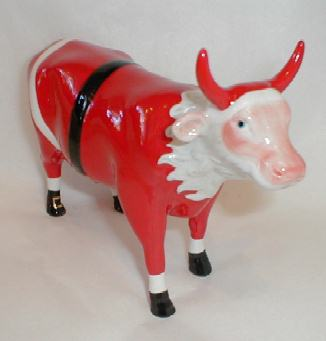
It'd save as a bitmap file because that's what it is on the server hosting the image...
You can easily convert bmps to jpgs or vice versa (and several other combos) with some freeware called irfanview.
Right click... save as...
Whatever format that the file is that you're trying to save is how it'll save.
So, if you're trying to download this:
It'll download it as a .gif file... because that is what it is on the server that is hosting the image.
Whereas, if you wanted to download this:
It'd save as a bitmap file because that's what it is on the server hosting the image...
You can easily convert bmps to jpgs or vice versa (and several other combos) with some freeware called irfanview.
Thread Starter
|
Senior Member
Joined: Sep 2007
Posts: 1,512
Likes: 1
From: >wwOwww<
Yeah cool cow. Santa cow?
When I right clicked it, new window opened, and gave me a choice of nameing the picture. Beneath that a dropdown arrow save as file type is there. However the only choice is .bmp
I running vista BTW. I also have cs2 and other jpeg software. But for any download, that is the choice it gives me.
Thanks for any help. I've enver had this problem on any software before.
Hmm. could it be a setting in IE somewhere?
When I right clicked it, new window opened, and gave me a choice of nameing the picture. Beneath that a dropdown arrow save as file type is there. However the only choice is .bmp
I running vista BTW. I also have cs2 and other jpeg software. But for any download, that is the choice it gives me.
Thanks for any help. I've enver had this problem on any software before.
Hmm. could it be a setting in IE somewhere?
Moderator &
Senior Member
Senior Member
Joined: Jan 2002
Posts: 31,440
Likes: 4
From: The Bluegrass State
No clue... almost sounds like some other program might be running that show? I'm stumped.
If you just save it without using the dropdown menu, will it not save the thrust smiley (god... it sounds weird saying that... thrust smiley... ha!) in .gif format? You have to use this drop down?
If you just save it without using the dropdown menu, will it not save the thrust smiley (god... it sounds weird saying that... thrust smiley... ha!) in .gif format? You have to use this drop down?

Junior Member
Joined: Aug 2007
Posts: 13
Likes: 0
I have had this issue when my cache is filling up. goto tools - options then delete all the temporary internet files, and then close and reopen IE.
I do agree that it is a PITA. Happens to me as well
I do agree that it is a PITA. Happens to me as well
Trending Topics
Thread Starter
|
Senior Member
Joined: Sep 2007
Posts: 1,512
Likes: 1
From: >wwOwww<
Thanks swatchie, but that didn't help either.
It has been doing this since it was new, I've just always worked around it. Last night I was going to upload some pictures to the Gallery, and just thought I'd ask if anyone knew about this, or if there may be a simple solution.
It has been doing this since it was new, I've just always worked around it. Last night I was going to upload some pictures to the Gallery, and just thought I'd ask if anyone knew about this, or if there may be a simple solution.


Moderator &
Senior Member
Senior Member
Joined: Jan 2002
Posts: 31,440
Likes: 4
From: The Bluegrass State
The gun photo below is a JPEG (.jpg). When you right click on it, choose save as, it should save as a jpg file.

Thread Starter
|
Senior Member
Joined: Sep 2007
Posts: 1,512
Likes: 1
From: >wwOwww<
But there are other times I know I'm working with jpegs, and it doesn't work.
What's up with that?

Dang! I'm on a different computer now.
The laptop is at home

