


Instrument Cluster Problem (navigating the windows)


Thread Starter
|
Junior Member
Joined: Jun 2014
Posts: 3
Likes: 0
Instrument Cluster Problem (navigating the windows)
Hello,
I'm a new F150 owner, and I have a question regarding the instrumentation panel navigation. No, not the sat-nav, but actually traversing the menus on the instrument cluster (not the dashboard panel). I have images to explain what I'm talking about.
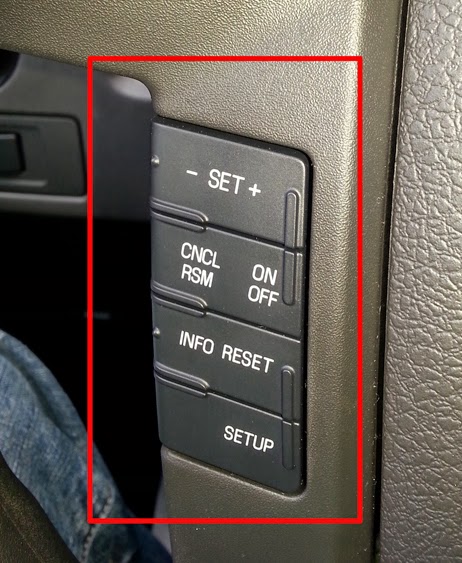
Here you can see that I do not have the four arrows and the "ok" button, I only have these buttons to work with on my steering wheel.
Routinely I get stuck in windows like this
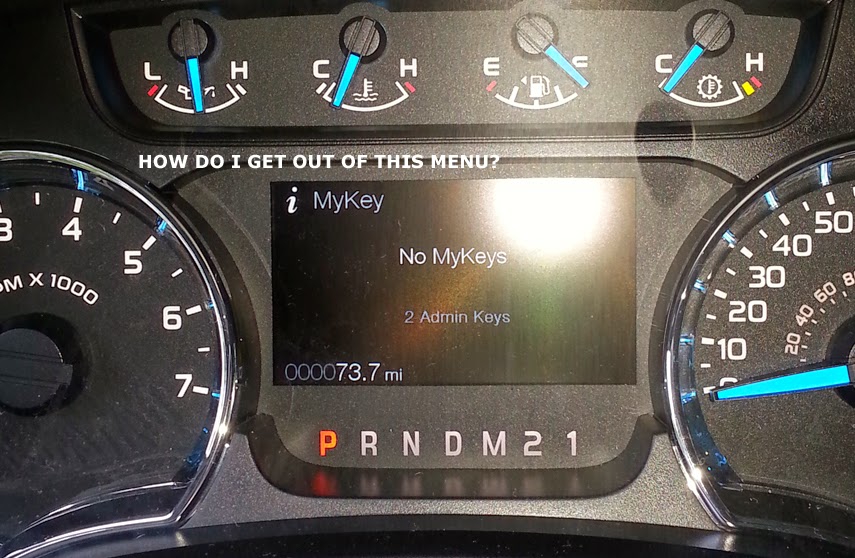
I dont know how to "go back". I have no back arrow.
I also dont know how to go back to a previous window within one of the menus. See image.

You can see there are two windows within that menu (one for current fuel consumption, another for the historical records). Currently I'm stuck on the historical records because I cannot get back to the first one (no back arrow).
How do you properly navigate without the four arrows and the ok button???
I'm a new F150 owner, and I have a question regarding the instrumentation panel navigation. No, not the sat-nav, but actually traversing the menus on the instrument cluster (not the dashboard panel). I have images to explain what I'm talking about.
Here you can see that I do not have the four arrows and the "ok" button, I only have these buttons to work with on my steering wheel.
Routinely I get stuck in windows like this
I dont know how to "go back". I have no back arrow.
I also dont know how to go back to a previous window within one of the menus. See image.
You can see there are two windows within that menu (one for current fuel consumption, another for the historical records). Currently I'm stuck on the historical records because I cannot get back to the first one (no back arrow).
How do you properly navigate without the four arrows and the ok button???
Last edited by jamesNewman; Jun 22, 2014 at 01:15 PM.

Senior Member

Joined: Oct 2010
Posts: 852
Likes: 12
From: Timbuk3 MI
According to the owner's manual ...
- Press the INFO button to scroll through trip, fuel usage, trailer gain and MyKey® information.
Owner Manuals ««« -click-
» Select Your Year [ Choose One ]
» Select Your Make [ Choose One ]
» Select Your Model [ Choose One ]
»
» Select Your Make [ Choose One ]
» Select Your Model [ Choose One ]
»
Thread Starter
|
Junior Member
Joined: Jun 2014
Posts: 3
Likes: 0
Thank you, I did read the owners manual though. I can get to/from trip, fuel economy, gauges, etc. To be more specific, I cannot go from "trip B" back to "Trip A", if that makes more sense. I have no idea how to navigate back to trip A, my truck is permanently stuck on trip b as I have no "back" button.
Truck came stock like this. Just bought it last night.
Truck came stock like this. Just bought it last night.
Thread Starter
|
Junior Member
Joined: Jun 2014
Posts: 3
Likes: 0
No four arrows or ok button. I wish I did have them, I sat there for about 20 minutes trying different button combo's to get back to trip A. Could it be that Ford put the wrong steering wheel on my truck?!
Those pics are from my truck taken this morning.
Those pics are from my truck taken this morning.

Senior Member
Joined: Sep 2008
Posts: 3,480
Likes: 6
From: San Angelo, TX
 . Hopefully others will chime in!
Senior Member
Joined: Sep 2008
Posts: 3,480
Likes: 6
From: San Angelo, TX
with the info screen you have on your truck you should have your cruise and all that on the left, along with your directional keys with ok button. On the right should be for your radio, sync etc. I Have never seen a truck with your information display have the steering wheel you have.
Trending Topics

Senior Member
Joined: Sep 2008
Posts: 3,480
Likes: 6
From: San Angelo, TX
