


HOW TO: USB 2 to Glove Box install (no console)


Senior Member
Joined: Jun 2010
Posts: 510
Likes: 0
From: Holt, MO
On the new 2013's they used a much cheaper junk computer for sync, and I could not get my ipod classic to work with the USB 2 being used, so I switched the wires and ran USB 1 to the glovebox and I never use the other usb port, because this computer doesn't seem capable of using both ports. Its a large step backwards from the 2010 I had.

Junior Member
Joined: Nov 2014
Posts: 1
Likes: 0
2013 with touchscreen
Has anyone tried this on a 2013 with a touchscreen? I had this in my 2011 and loved it but it looks like Ford moved the location of the service port because it's not behind the dash like described in this thread.

Junior Member
Joined: Jan 2017
Posts: 2
Likes: 0
2016 f150?
Is this option available on the 2016 f150?
Next step is to fully access your glove box.
There are 2 tabs, one on either side of the inside of the glove box that you can squeeze towards the middle to release the glove box door.
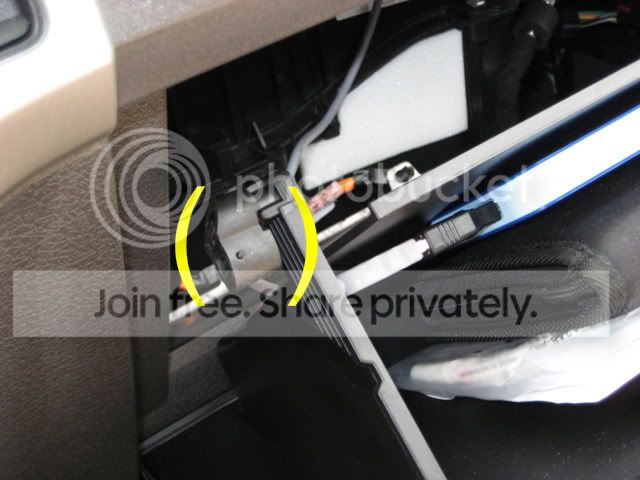
Now your glove box door can swing all the way down, dumping everything inside of it onto the floor.
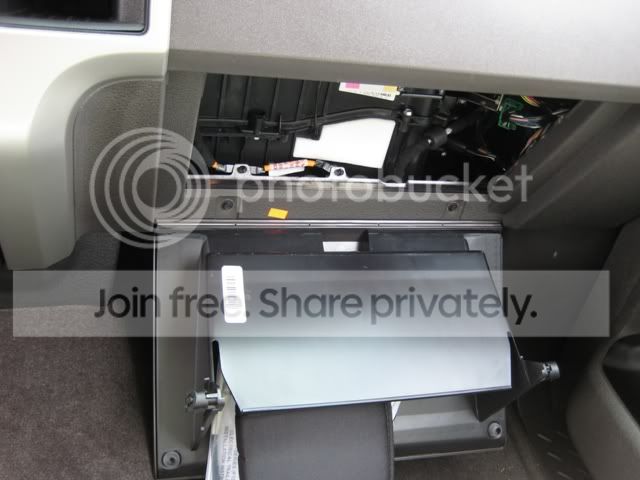
Looking up from there you can see an easy path that you can take to feed the cable through.
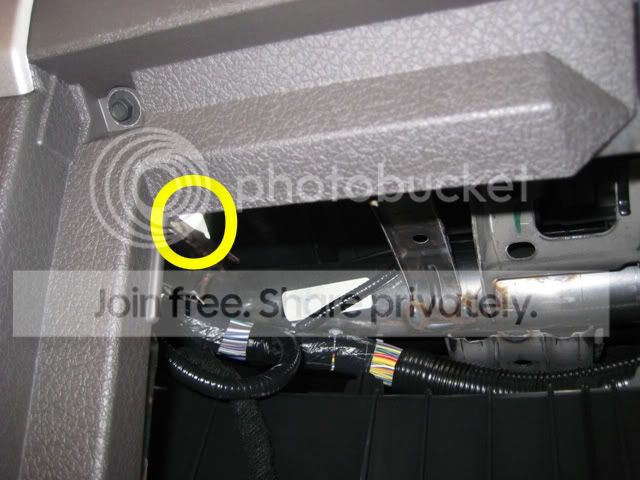
This part I forgot to take a picture of but it is self explanatory, I used a wire coat hanger and fed it up through the dash and out through the top hole where the tray used to be.Bent it around the USB A side of the cable, and pulled it through to the glove box.
Now that the cable is where your glove box is, you can lift the glove box door back up where it can latch. Pull the USB A side of the cable and plug it into the USB A to USB B mini adapter.
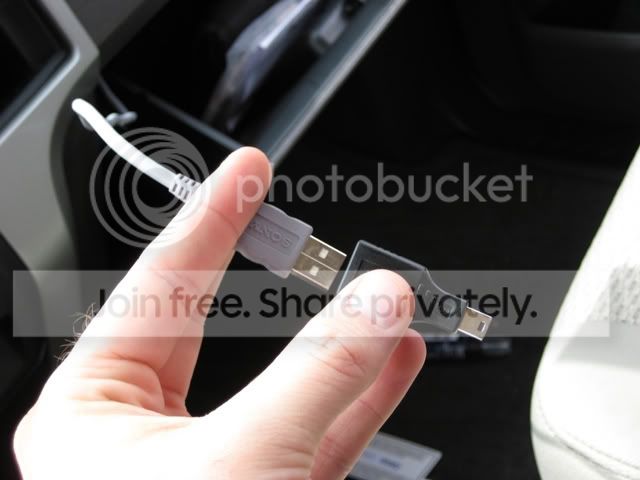
Once attached plug that adapter into your hard drive.
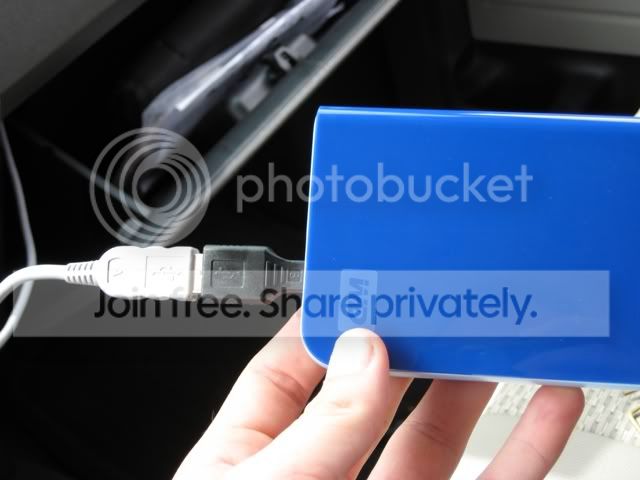
I just placed the hard drive in the glove box and tucked the wires behind the glove box, and ran the cable through the slot on the left hand side.
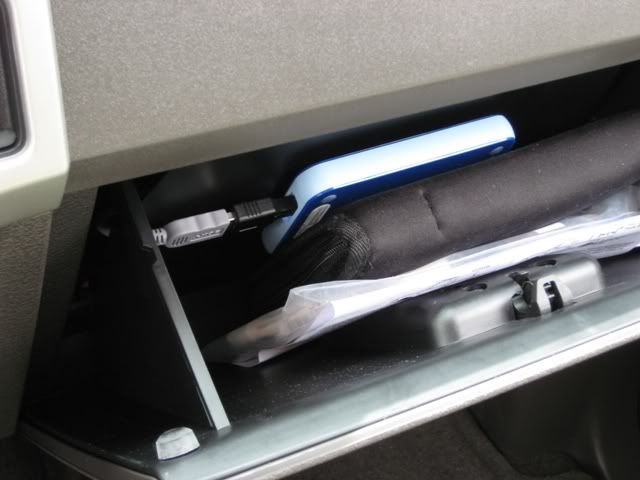
Now that it's in place close the glove box and get ready to install the tray the exact opposite way you took it out.
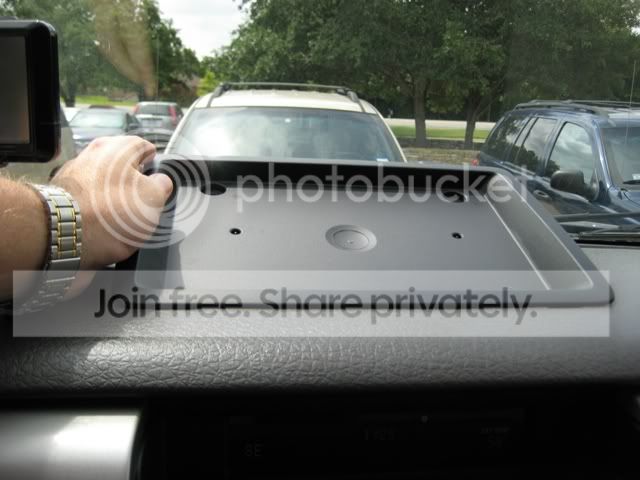
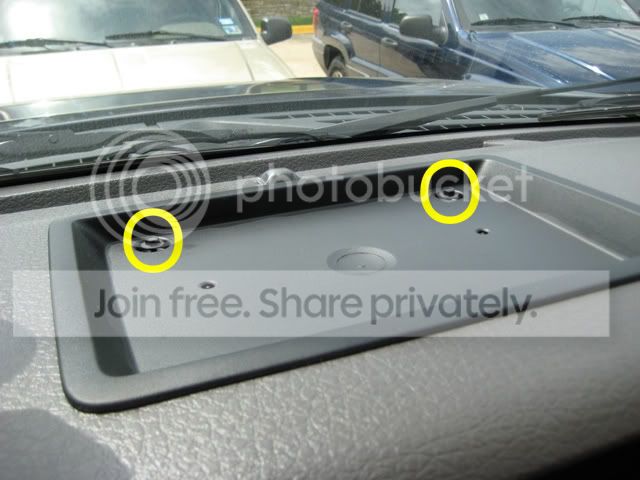
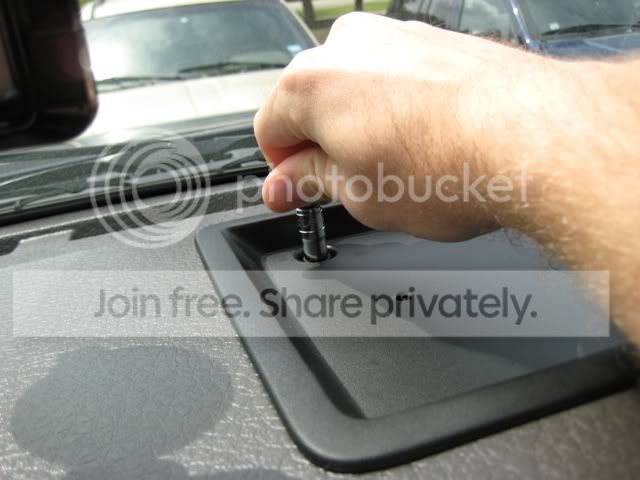
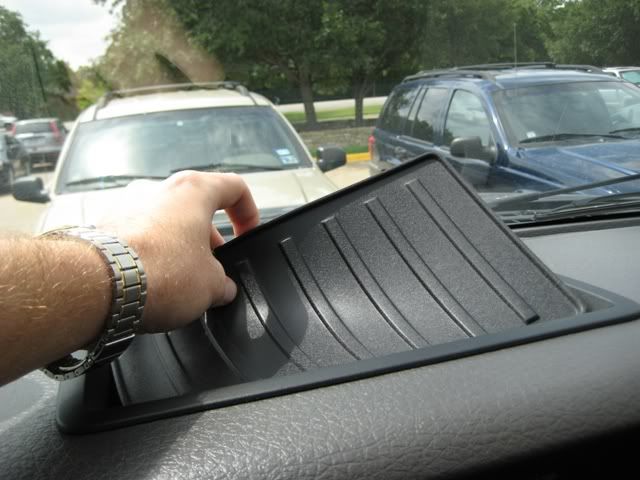
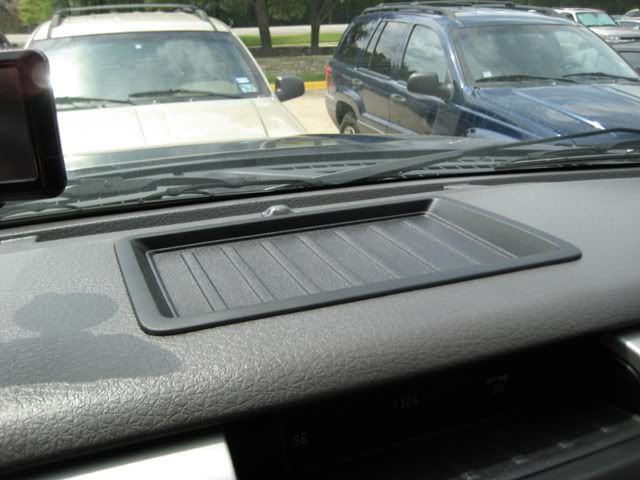
Now when you push your voice activation button on your steering wheel, simply say "USB 2" and you are ready to rock and roll.
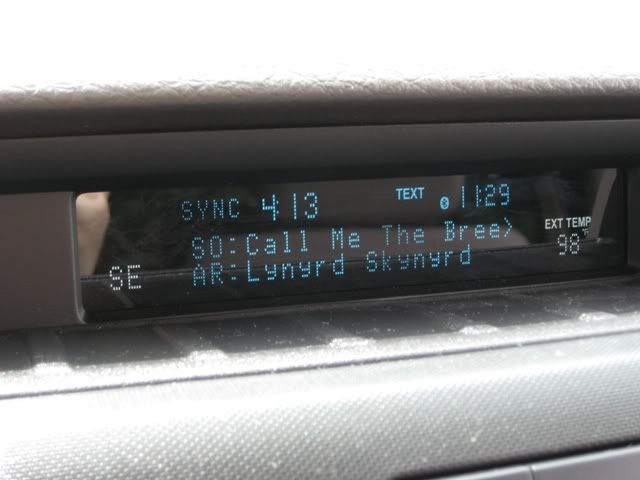
Hope this helps, let me know if I need to add anything or answer any questions! This took me 15 minutes while on a break at work. Totally worth it to have a hidden source of music, plus this leaves the main USB connection to charge my phone.
There are 2 tabs, one on either side of the inside of the glove box that you can squeeze towards the middle to release the glove box door.
Now your glove box door can swing all the way down, dumping everything inside of it onto the floor.
Looking up from there you can see an easy path that you can take to feed the cable through.
This part I forgot to take a picture of but it is self explanatory, I used a wire coat hanger and fed it up through the dash and out through the top hole where the tray used to be.Bent it around the USB A side of the cable, and pulled it through to the glove box.
Now that the cable is where your glove box is, you can lift the glove box door back up where it can latch. Pull the USB A side of the cable and plug it into the USB A to USB B mini adapter.
Once attached plug that adapter into your hard drive.
I just placed the hard drive in the glove box and tucked the wires behind the glove box, and ran the cable through the slot on the left hand side.
Now that it's in place close the glove box and get ready to install the tray the exact opposite way you took it out.
Now when you push your voice activation button on your steering wheel, simply say "USB 2" and you are ready to rock and roll.
Hope this helps, let me know if I need to add anything or answer any questions! This took me 15 minutes while on a break at work. Totally worth it to have a hidden source of music, plus this leaves the main USB connection to charge my phone.

Junior Member
Joined: Oct 2025
Posts: 2
Likes: 0
Usb #2
Next step is to fully access your glove box.
There are 2 tabs, one on either side of the inside of the glove box that you can squeeze towards the middle to release the glove box door.
Attachment 35823
Now your glove box door can swing all the way down, dumping everything inside of it onto the floor.
Attachment 35824
Looking up from there you can see an easy path that you can take to feed the cable through.
Attachment 35825
This part I forgot to take a picture of but it is self explanatory, I used a wire coat hanger and fed it up through the dash and out through the top hole where the tray used to be.Bent it around the USB A side of the cable, and pulled it through to the glove box.
Now that the cable is where your glove box is, you can lift the glove box door back up where it can latch. Pull the USB A side of the cable and plug it into the USB A to USB B mini adapter.
Attachment 35826
Once attached plug that adapter into your hard drive.
Attachment 35827
I just placed the hard drive in the glove box and tucked the wires behind the glove box, and ran the cable through the slot on the left hand side.
Now that it's in place close the glove box and get ready to install the tray the exact opposite way you took it out.
Attachment 35828
Attachment 35829
Attachment 35830
Attachment 35831
Attachment 35832
Now when you push your voice activation button on your steering wheel, simply say "USB 2" and you are ready to rock and roll.
Hope this helps, let me know if I need to add anything or answer any questions! This took me 15 minutes while on a break at work. Totally worth it to have a hidden source of music, plus this leaves the main USB connection to charge my phone.
There are 2 tabs, one on either side of the inside of the glove box that you can squeeze towards the middle to release the glove box door.
Attachment 35823
Now your glove box door can swing all the way down, dumping everything inside of it onto the floor.
Attachment 35824
Looking up from there you can see an easy path that you can take to feed the cable through.
Attachment 35825
This part I forgot to take a picture of but it is self explanatory, I used a wire coat hanger and fed it up through the dash and out through the top hole where the tray used to be.Bent it around the USB A side of the cable, and pulled it through to the glove box.
Now that the cable is where your glove box is, you can lift the glove box door back up where it can latch. Pull the USB A side of the cable and plug it into the USB A to USB B mini adapter.
Attachment 35826
Once attached plug that adapter into your hard drive.
Attachment 35827
I just placed the hard drive in the glove box and tucked the wires behind the glove box, and ran the cable through the slot on the left hand side.
Now that it's in place close the glove box and get ready to install the tray the exact opposite way you took it out.
Attachment 35828
Attachment 35829
Attachment 35830
Attachment 35831
Attachment 35832
Now when you push your voice activation button on your steering wheel, simply say "USB 2" and you are ready to rock and roll.
Hope this helps, let me know if I need to add anything or answer any questions! This took me 15 minutes while on a break at work. Totally worth it to have a hidden source of music, plus this leaves the main USB connection to charge my phone.
thanks