


Pic test

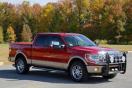
Thread Starter
|
Senior Member

Joined: Mar 2012
Posts: 552
Likes: 1
From: Bear, Delaware
 Pic test
So, I was told that, if I wanted to post a pic in a thread, that I can link to pictures that are already in my albums. So lets see if I can figure out how....
 Just as i thought, I can't figure out how to do it. I clicked on the "insert image" thing and it says to download a URL. I guess that's the 1,000 letter/number that's after the http symbol?
  . My sister says to "cut and paste"? I've tried that in the past with limited success.
Yes, I really am that stupid. I don't do any kind of that "social media" stuff. I just don't believe in it. I'm sure it has it's legitimate uses, but I just see it as a place for busy-bodies to sling thier crap, usually because "I saw Bobby with Wanda". And I have no interest in the "photobucket" kinda thing. So I guess you can call me old and decrepid, and I still can't spell.....
Just as i thought, I can't figure out how to do it. I clicked on the "insert image" thing and it says to download a URL. I guess that's the 1,000 letter/number that's after the http symbol? . My sister says to "cut and paste"? I've tried that in the past with limited success. Yes, I really am that stupid
. I don't do any kind of that "social media" stuff. I just don't believe in it. I'm sure it has it's legitimate uses, but I just see it as a place for busy-bodies to sling thier crap, usually because "I saw Bobby with Wanda". And I have no interest in the "photobucket" kinda thing. So I guess you can call me old and decrepid, and I still can't spell.....

Global Moderator &
Senior Member
Senior Member

Joined: Mar 2005
Posts: 26,080
Likes: 85
From: Burleson/Athens/Brownsboro, TX
Lets see if I can help.
There are two places to upload pics on you profile, the garage and albums. I see you successfully uploaded pics to your garage. To post a pic, go to your garage:
click on the pic you want to post
then click on "enlarge" at the bottom of the pic
right click on the enlarged pic
copy the entire URL
go to a posting box where you want to post the pic
click on the second icon from the right, above the posting box, looks like a mountain
in the line that appears, paste your url that you copied
that should work
There are two places to upload pics on you profile, the garage and albums. I see you successfully uploaded pics to your garage. To post a pic, go to your garage:
click on the pic you want to post
then click on "enlarge" at the bottom of the pic
right click on the enlarged pic
copy the entire URL
go to a posting box where you want to post the pic
click on the second icon from the right, above the posting box, looks like a mountain
in the line that appears, paste your url that you copied
that should work
__________________
Jim
Jim
Thread Starter
|
Senior Member
Joined: Mar 2012
Posts: 552
Likes: 1
From: Bear, Delaware
Here we go..............
OK, not working....
Following your directions, after I enlarge the pic, to "copy the entire URL", I assume that means that I right click, then click "copy"? It was the only thing highlighted, other than the internet stuff like favorites, etc.. I clicked it. Then came back here, clicked on the mountain and that box with the http came up. So now is when I am suppose to "paste the url I copied"? I right clicked in the box, and a small box with options came up, but nothing was highlited and did nothing when I clicked on paste. So I thought maybe if I open up another window and do all that, then come back here in the first window and try to paste. Still no luck..........Not even an f-bomb helped...
OK, not working....
Following your directions, after I enlarge the pic, to "copy the entire URL", I assume that means that I right click, then click "copy"? It was the only thing highlighted, other than the internet stuff like favorites, etc.. I clicked it. Then came back here, clicked on the mountain and that box with the http came up. So now is when I am suppose to "paste the url I copied"? I right clicked in the box, and a small box with options came up, but nothing was highlited and did nothing when I clicked on paste. So I thought maybe if I open up another window and do all that, then come back here in the first window and try to paste. Still no luck..........Not even an f-bomb helped...
Last edited by Scarlet; Mar 2, 2013 at 09:37 PM. Reason: I'm a non-Geek


