Adding pic to signature


Senior Member
Joined: Jan 2000
Posts: 2,075
Likes: 1
From: Central Florida
Upload a small picture to your gallery (I see that you already have one). Make sure it is not a full sized picture. Most people have gone to a standard 500x100 pixel size. Once uploaded go to that picture in your gallery and there is a link named "forum codes" to the right. Highlight the first web address in the pop-up window and right-click "copy".
Now, click on "User CP" in the black bar above and go to "Edit Signature". Right-click and select "Paste" in the area to type into. You can then preview your signature before saving.
When you make a post to a message select the option "Show your signature" below where you are typing.
Done!
Here is one of your pictures:

Just make sure you resize it some.
Now, click on "User CP" in the black bar above and go to "Edit Signature". Right-click and select "Paste" in the area to type into. You can then preview your signature before saving.
When you make a post to a message select the option "Show your signature" below where you are typing.
Done!
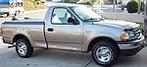
Here is one of your pictures:
Just make sure you resize it some.