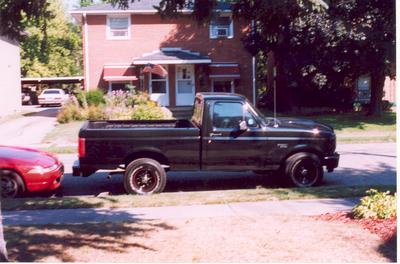
Figured It Out But Need Help Again

 Figured It Out But Need Help Again

Senior Member
Joined: Mar 2000
Posts: 1,827
Likes: 0
From: FL
right click the picture, go to properties, then copy and paste the URL. then when youre gonna post, click on the buttin that says IMG and paste the pic's url on there and thats it. did i help you, or confuse you even more?
Senior Member
Joined: Mar 2000
Posts: 1,827
Likes: 0
From: FL
ok go to your gallery....then find the pic you want and right-click the picture, youll see a little menu pop up and one of the options in that menu will say "properties", click it....then a window will pop up and say "ADDRESS: http://www.f150....." copy the internet address...then when you go and make a new post click on the button that says IMG (below where you write the subject for your post) and a new box pops up, paste the address there. thats it! im trying to not confuse you, but its kinda hard explaining it without being able to show you. 

Thread Starter
|
Senior Member
Joined: Dec 2001
Posts: 175
Likes: 0
From: CANTON,OHIO
ok i got the first part i went into my gallery and right clicked and copied the address but when i post i cant find an img icon to click on so now what do i do and if i do find it then what do i do thanks for all your help im starting to get it i just need my hand held just a little bit longer thanks
Trending Topics
Thread Starter
|
Senior Member
Joined: Dec 2001
Posts: 175
Likes: 0
From: CANTON,OHIO
you guys like it sooo much you wanna buy? ill sell it for what i got in it minus the seats lol i have a roll backor you could drive and i live in ohio it is black and has been road hard by a 17 year old but for just under two k its a steal you guys let me know if i could ever figure out how to get my goddamn pictures to show up i will post a couple of them
Last edited by CHADSIX; Aug 24, 2002 at 11:04 AM.


Thread Starter
|
Senior Member
Joined: Dec 2001
Posts: 175
Likes: 0
From: CANTON,OHIO
lol!!!... no i dont but the truck i posted is the one i decided to keep not a bad decision ha? it is now going to be painted pearl black i will take pictures of the lightning and my truck and post them as soon as possible