


HOW TO: USB 2 to Glove Box install (no console)


Thread Starter
|
Technical Article Contributor
Joined: Feb 2001
Posts: 425
Likes: 1
From: College Station TX
 HOW TO: USB 2 to Glove Box install (no console)
Thanks to Barritia for the initial thread. This thread is for those of us without the center channel speaker or center console that would like to do the USB 2 install.
*FYI this is an '09 F150 XLT with the 40/20/40 bench with a single CD radio with SYNC.
*Project time 15 minutes.
Materials needed
Socket wrench with 9/32 socket
USB Female A To USB Mini Male B 5 Pin (I bought this one)
USB Cable 5-pin USB A to USB Mini B
Coat hanger
* I used a 250gb Western Digital Passport for my hard drive/ media player since it is powered by USB only.
-------------------------------------------------------------------------
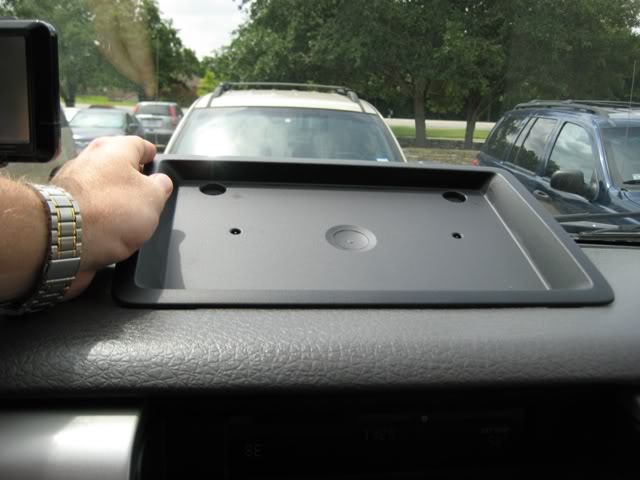
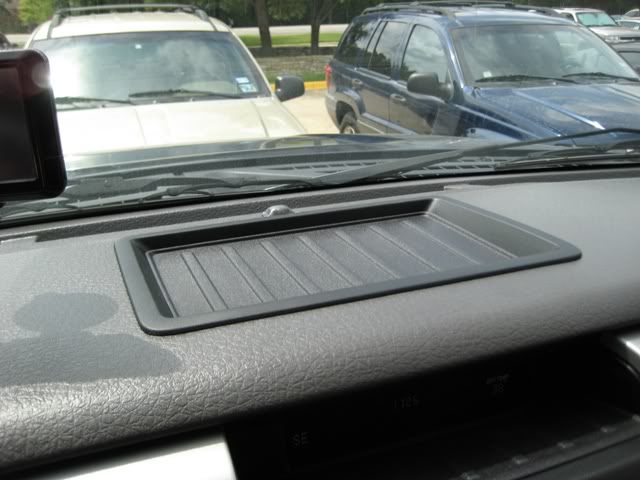
This is how it looks just sitting there.
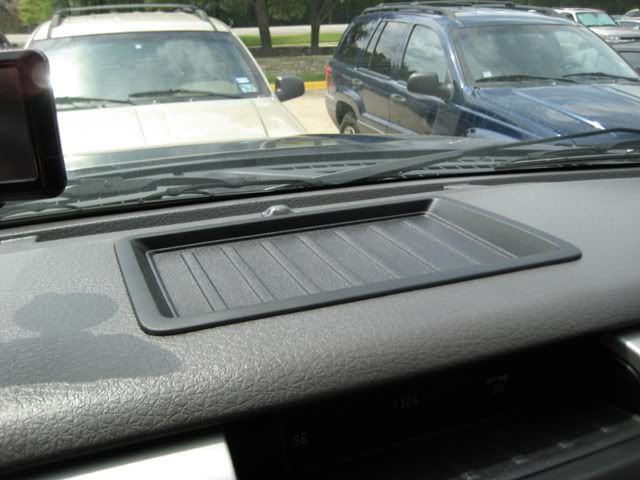
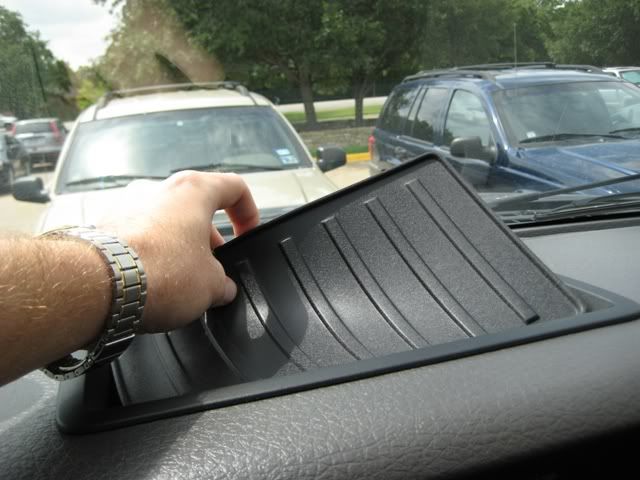
There is a thin mat that rests inside this tray, pull it out and set aside.
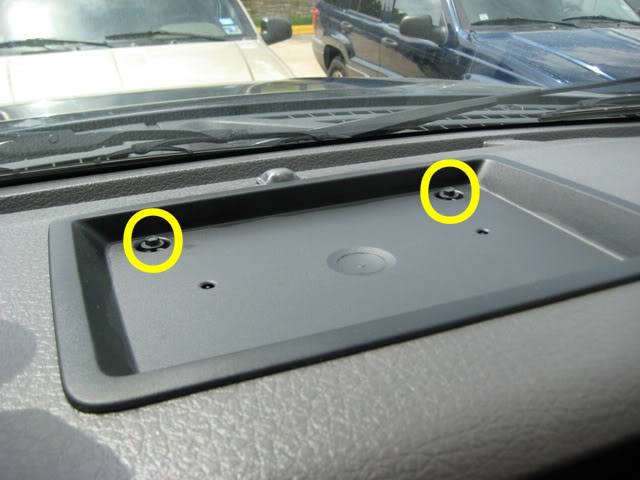
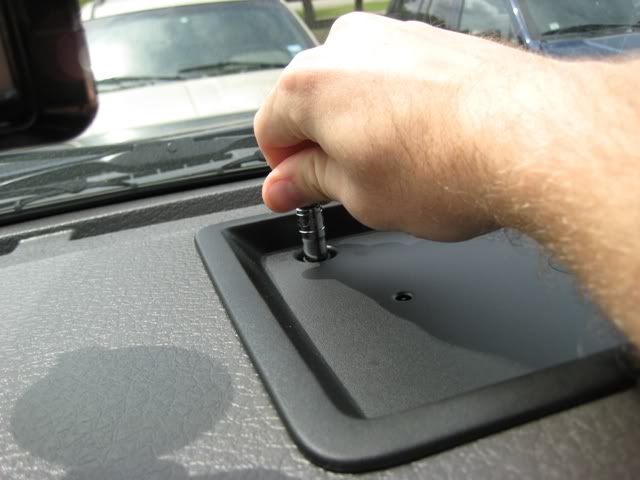
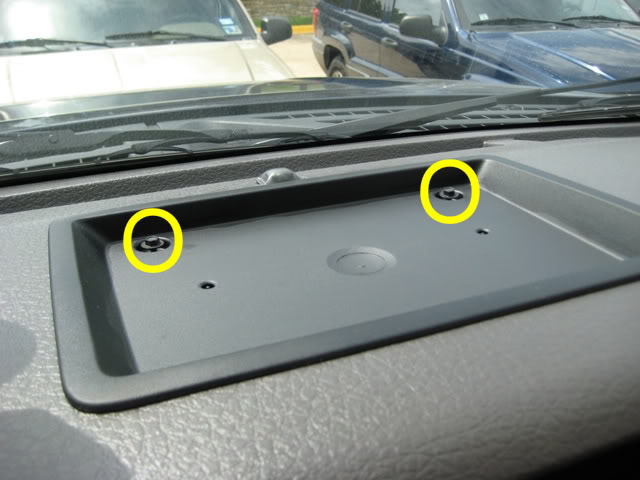
There are 2 bolts holding this tray in, they are located in the two corners closest to the windshield.
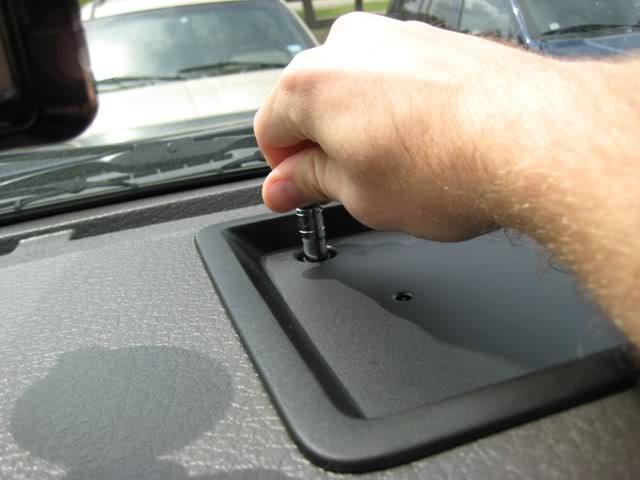
I used a 9/32 socket to remove them.
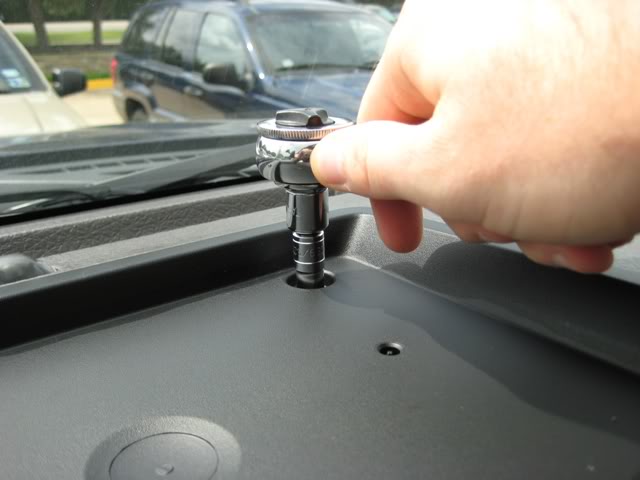
Once they are out enough you can twist them out by hand.
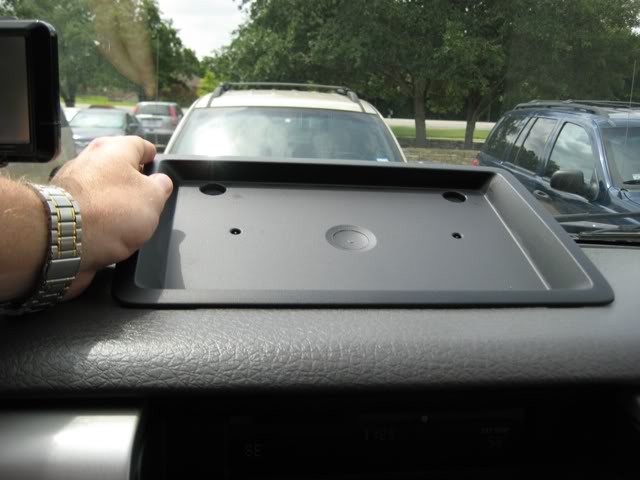
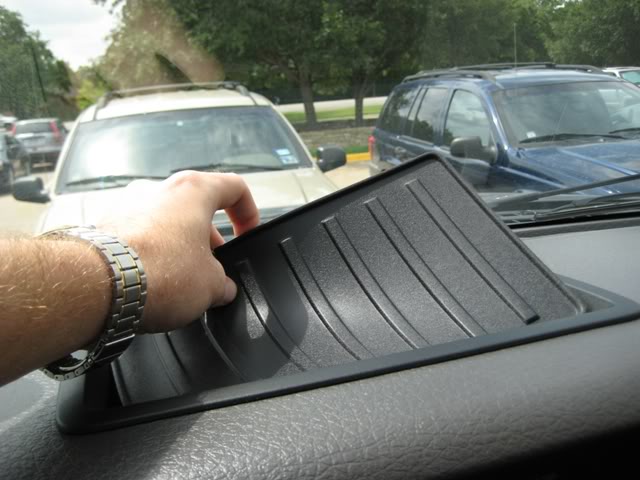
Now that the bolts are out you can lift the tray out. you have to lift up on the window side and lift is out towards the window. There is a lip that prevents you from lifting the front end of the tray up.
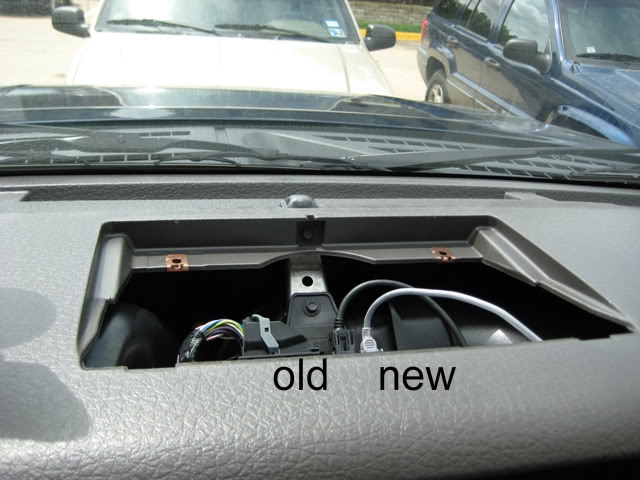
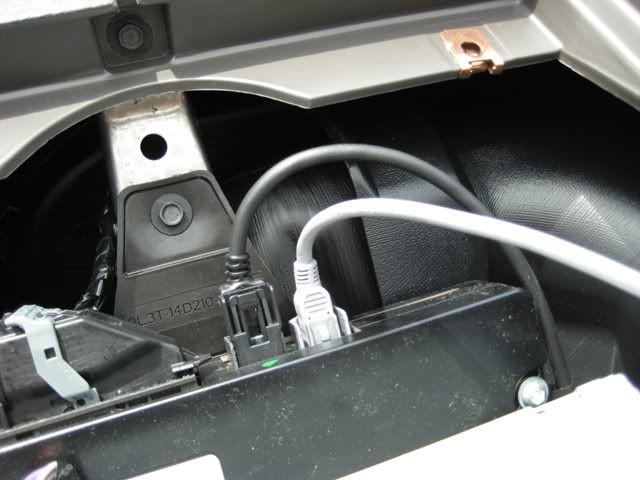
Now the tray is out. The cable that is already attached is the black one on the left, the grey one on the right is the new cable that you will be installing.
Plug the USB mini B end of your cable into the right slot and it should look like this.
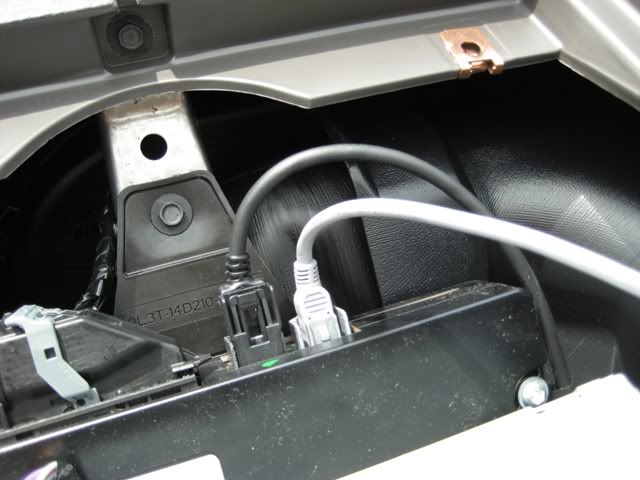
You are now done with the radio end.
*FYI this is an '09 F150 XLT with the 40/20/40 bench with a single CD radio with SYNC.
*Project time 15 minutes.
Materials needed
Socket wrench with 9/32 socket
USB Female A To USB Mini Male B 5 Pin (I bought this one)
USB Cable 5-pin USB A to USB Mini B
Coat hanger
* I used a 250gb Western Digital Passport for my hard drive/ media player since it is powered by USB only.
-------------------------------------------------------------------------
This is how it looks just sitting there.
There is a thin mat that rests inside this tray, pull it out and set aside.
There are 2 bolts holding this tray in, they are located in the two corners closest to the windshield.
I used a 9/32 socket to remove them.
Once they are out enough you can twist them out by hand.
Now that the bolts are out you can lift the tray out. you have to lift up on the window side and lift is out towards the window. There is a lip that prevents you from lifting the front end of the tray up.
Now the tray is out. The cable that is already attached is the black one on the left, the grey one on the right is the new cable that you will be installing.
Plug the USB mini B end of your cable into the right slot and it should look like this.
You are now done with the radio end.
Thread Starter
|
Technical Article Contributor
Joined: Feb 2001
Posts: 425
Likes: 1
From: College Station TX
 Part 2
Next step is to fully access your glove box.
There are 2 tabs, one on either side of the inside of the glove box that you can squeeze towards the middle to release the glove box door.
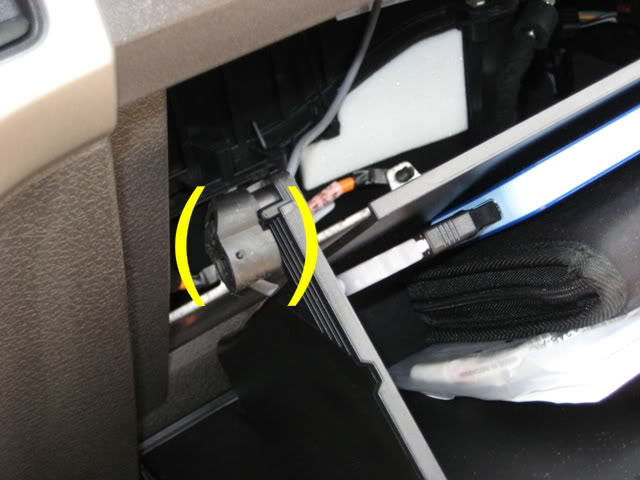
Now your glove box door can swing all the way down, dumping everything inside of it onto the floor.
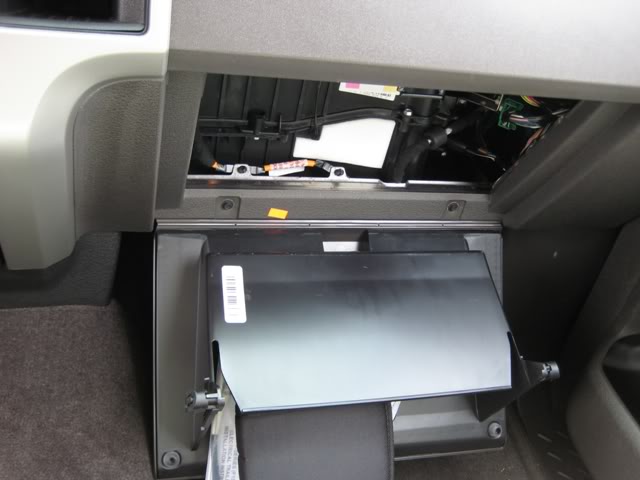
Looking up from there you can see an easy path that you can take to feed the cable through.
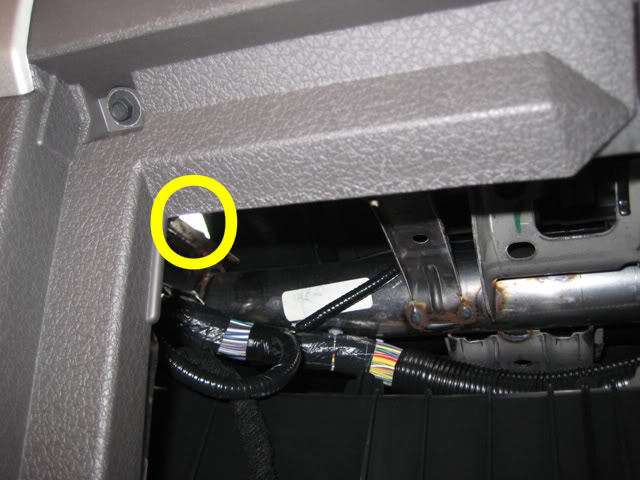
This part I forgot to take a picture of but it is self explanatory, I used a wire coat hanger and fed it up through the dash and out through the top hole where the tray used to be.Bent it around the USB A side of the cable, and pulled it through to the glove box.
Now that the cable is where your glove box is, you can lift the glove box door back up where it can latch. Pull the USB A side of the cable and plug it into the USB A to USB B mini adapter.
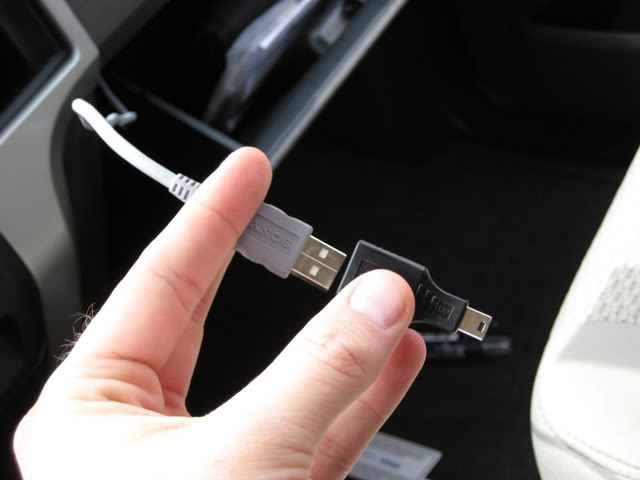
Once attached plug that adapter into your hard drive.
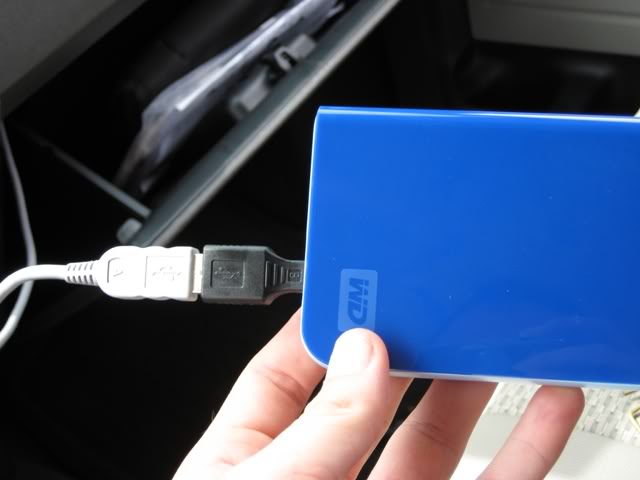
I just placed the hard drive in the glove box and tucked the wires behind the glove box, and ran the cable through the slot on the left hand side.
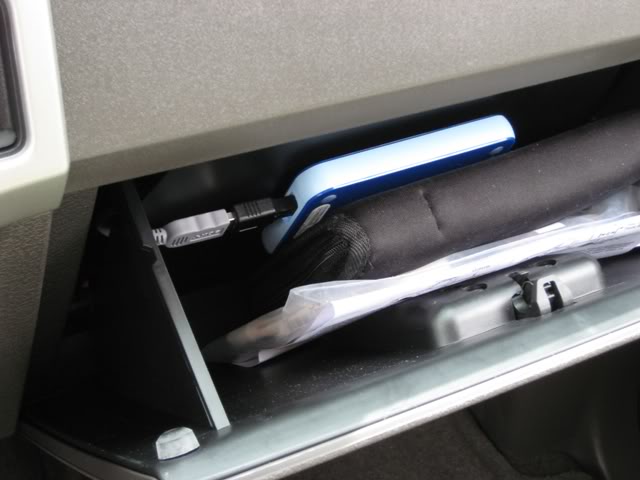
Now that it's in place close the glove box and get ready to install the tray the exact opposite way you took it out.
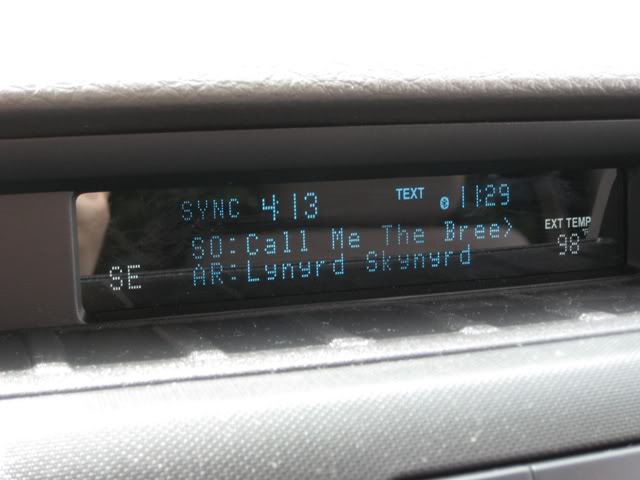
Now when you push your voice activation button on your steering wheel, simply say "USB 2" and you are ready to rock and roll.
Hope this helps, let me know if I need to add anything or answer any questions! This took me 15 minutes while on a break at work. Totally worth it to have a hidden source of music, plus this leaves the main USB connection to charge my phone.
There are 2 tabs, one on either side of the inside of the glove box that you can squeeze towards the middle to release the glove box door.
Now your glove box door can swing all the way down, dumping everything inside of it onto the floor.
Looking up from there you can see an easy path that you can take to feed the cable through.
This part I forgot to take a picture of but it is self explanatory, I used a wire coat hanger and fed it up through the dash and out through the top hole where the tray used to be.Bent it around the USB A side of the cable, and pulled it through to the glove box.
Now that the cable is where your glove box is, you can lift the glove box door back up where it can latch. Pull the USB A side of the cable and plug it into the USB A to USB B mini adapter.
Once attached plug that adapter into your hard drive.
I just placed the hard drive in the glove box and tucked the wires behind the glove box, and ran the cable through the slot on the left hand side.
Now that it's in place close the glove box and get ready to install the tray the exact opposite way you took it out.
Now when you push your voice activation button on your steering wheel, simply say "USB 2" and you are ready to rock and roll.
Hope this helps, let me know if I need to add anything or answer any questions! This took me 15 minutes while on a break at work. Totally worth it to have a hidden source of music, plus this leaves the main USB connection to charge my phone.

Senior Member
Joined: Jun 2007
Posts: 358
Likes: 0
From: Iowa
Nice write up. I am planning on doing this once my truck arrives but my xlt has captain chairs so I am going to still try to get to the center consule. I will just have to find a way to hide the wires since it will not have the floor shifter. But if I can't this looks like a good alternative.
Senior Member
Joined: May 2005
Posts: 1,514
Likes: 0
From: Southern, CA
Nice installation and best of all...no cutting necessary Curious, I have the Plat w/Sony preimum sound and one USB plug on the console...do all the Ford raidios have the secondary port for a 2nd USB device? Curious also in that you didn't encounter any problems with the Ford radio recognizing and integrating the 2nd memory device? Truly a "plug n play" mod
Curious, I have the Plat w/Sony preimum sound and one USB plug on the console...do all the Ford raidios have the secondary port for a 2nd USB device? Curious also in that you didn't encounter any problems with the Ford radio recognizing and integrating the 2nd memory device? Truly a "plug n play" mod
Thread Starter
|
Technical Article Contributor
Joined: Feb 2001
Posts: 425
Likes: 1
From: College Station TX
Not sure, there was some talk in another thread about people doing it with the lariat package, with a console and center channel speaker, I have no reason to doubt that all of the radios have that second USB port.
I told myself that I wasn't going to let the mod bug get me on this truck like it did with my '99, so I'm sticking to mods that are easily undoable and not permanent.
I told myself that I wasn't going to let the mod bug get me on this truck like it did with my '99, so I'm sticking to mods that are easily undoable and not permanent.


Member
Joined: Mar 2009
Posts: 70
Likes: 0
From: Greenville NC
I got a in dash tv and when they installed it they ran the usb into my glove box. What all can i hook up to it without the mini adapter?
Trending Topics

Junior Member
Joined: Feb 2005
Posts: 1
Likes: 0
From: Houston
F150Aggie, thanks so much for the great write-up. I just got mine hooked up, and it works great. Instead of a WD hard drive, I'm using a 120 GB Gen 6 iPod that I am now able to just leave out of sight in the glove box.


Member
Joined: Feb 2010
Posts: 25
Likes: 0
Can you point me to that thread? cant find it and i have the sony sound system.


Senior Member
Joined: Jun 2010
Posts: 217
Likes: 0
From: Pittsburgh, PA
I'll be doing this tomorrow.
Thanks for the write up.