


Photoshop Thread 1.0



Senior Member
Joined: Dec 2009
Posts: 377
Likes: 0
From: Socal
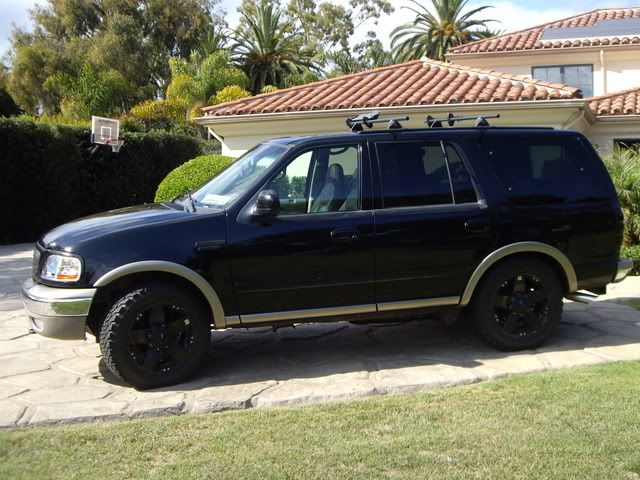
PTM!! PTM!! It would look good in black if the rest of you parts were blacked out.


Senior Member
Joined: Feb 2010
Posts: 453
Likes: 0
From: Jackson,TN

sharp expy , looks good......

Senior Member
Joined: Jan 2007
Posts: 300
Likes: 0
From: Amarillo, Tx

It would! may have to try that out for him later...

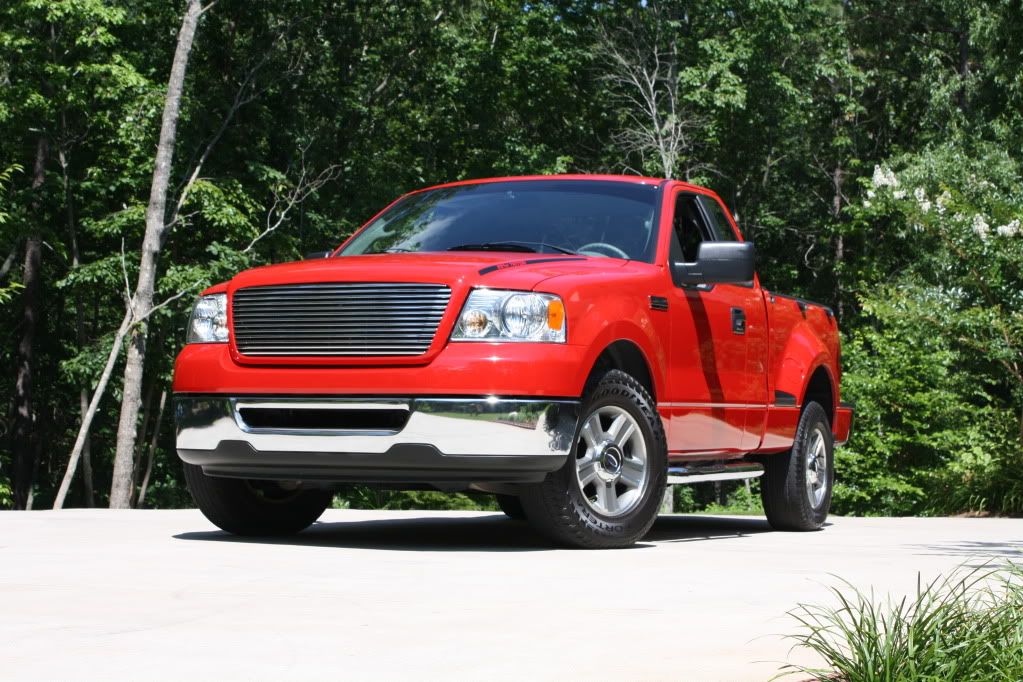

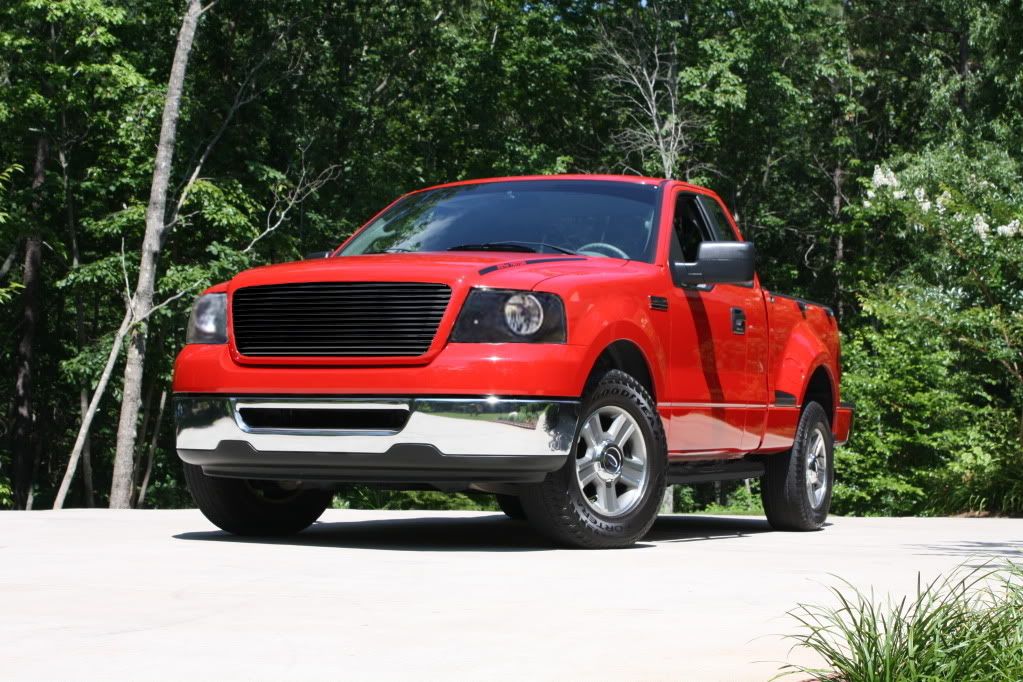
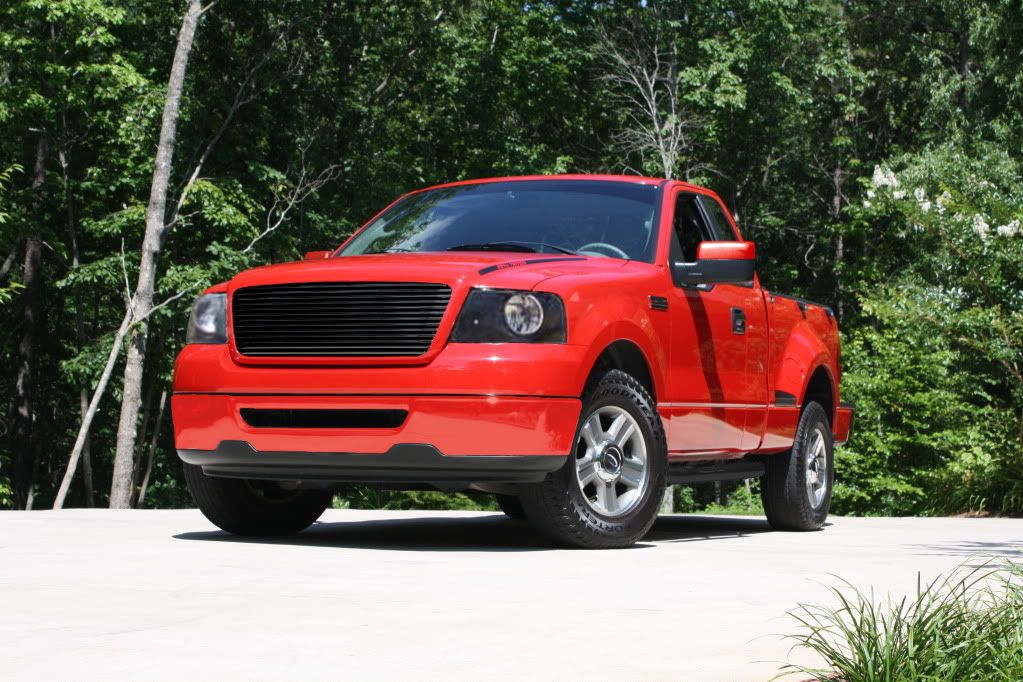


 Wish I could do PTM like that bumper!
Senior Member
Joined: May 2007
Posts: 2,101
Likes: 0
From: Orlando
I know these probably aren't 20" but I guess it's close enough for now.
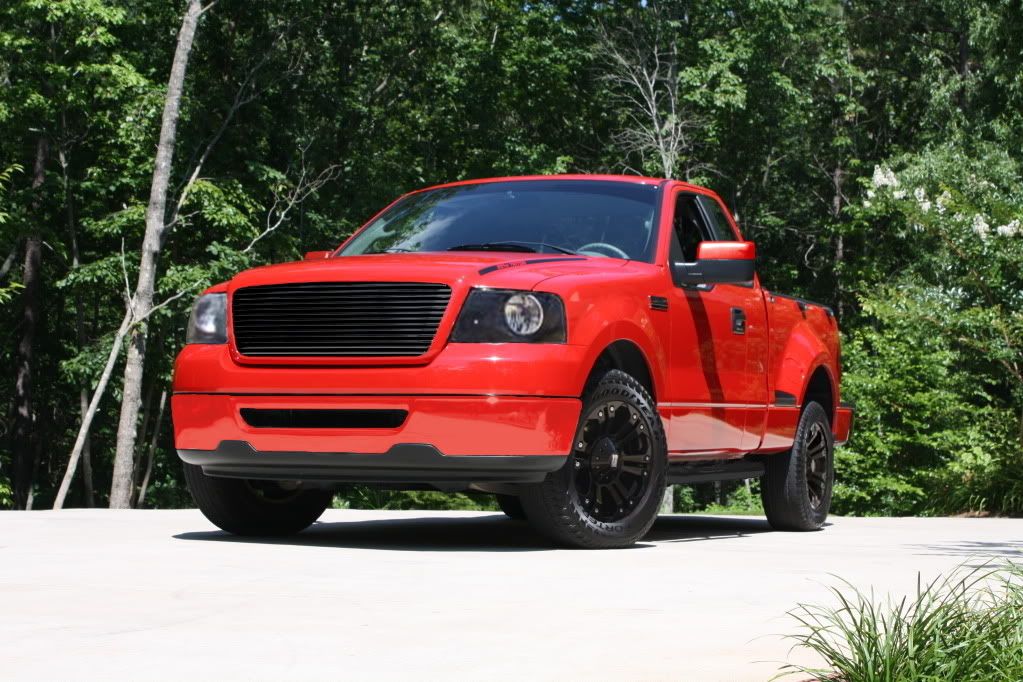
Might work on it later to get them a little bigger.
As for program, Gimp 2.4.6(the same one posted a pages ago.) I wonder if they have an update...
Might work on it later to get them a little bigger.
As for program, Gimp 2.4.6(the same one posted a pages ago.) I wonder if they have an update...
Senior Member
Joined: Jan 2007
Posts: 300
Likes: 0
From: Amarillo, Tx
I don't think they do..I just downloaded it last week and that's the version I'm using
Last edited by MbL90; Feb 24, 2010 at 04:50 PM. Reason: cut down on size of post


Senior Member
Joined: May 2007
Posts: 2,101
Likes: 0
From: Orlando
Well, for PTMing, it can sometimes be a little tricky. Sometimes I can get handles/mirror caps spot on, other times it's kinnda evident.
Chrome, usually, you have to decrease contrast some since paint doesn't normally have the mirror shine of chrome. Use adjacent paint panels as a guide. From there, use colorize or colorify (I normally use colorize.) Try to get as close as you can in the shade and saturation (for this one I put the color all the way to the right, and the saturation almost maxed out, but left the lightness a little light.)
Uses the Brightness/contrast tool to get a little closer. Color Balance might be needed to give some final touches (in this case, I put a little bit of yellow to better match up with the bumper's red.)
You might have to zoom in and use the clone tool to get any jagged edges of chrome you missed. I guess that's the advantage of PS, you have smoother edges, especially with the magic lasso.
Chrome, usually, you have to decrease contrast some since paint doesn't normally have the mirror shine of chrome. Use adjacent paint panels as a guide. From there, use colorize or colorify (I normally use colorize.) Try to get as close as you can in the shade and saturation (for this one I put the color all the way to the right, and the saturation almost maxed out, but left the lightness a little light.)
Uses the Brightness/contrast tool to get a little closer. Color Balance might be needed to give some final touches (in this case, I put a little bit of yellow to better match up with the bumper's red.)
You might have to zoom in and use the clone tool to get any jagged edges of chrome you missed. I guess that's the advantage of PS, you have smoother edges, especially with the magic lasso.